In your own words用你自己的话
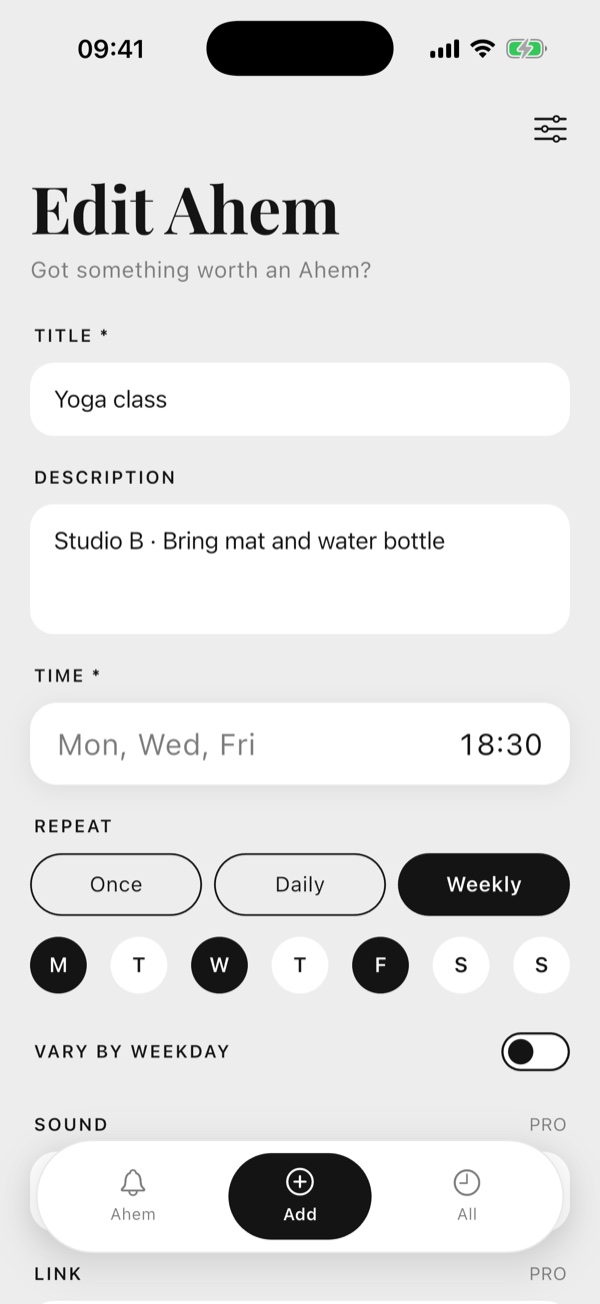
Write each reminder the way you'd say it. Once, daily or on the days you choose – even different words for different days. 按你说话的方式写提醒。单次、每天或每周某几天——每天还能说不同的话。
Got anything worth an Ahem?
Customise your reminder in your words, your voice.
有什么值得 Ahem 一下的吗?
用你的话、你的声音,定制属于你的提醒。
Real screens from Ahem on iPhone. Black and white, nothing extra. 以下都是 Ahem 在 iPhone 上的真实界面。黑白两色,没有多余的东西。
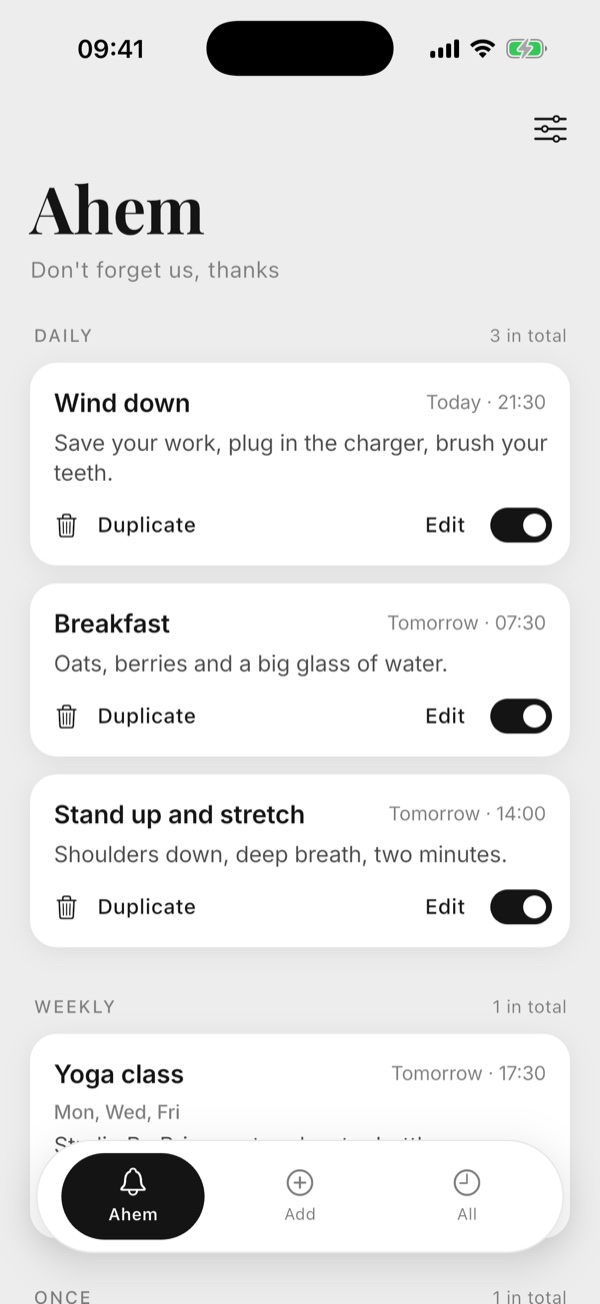
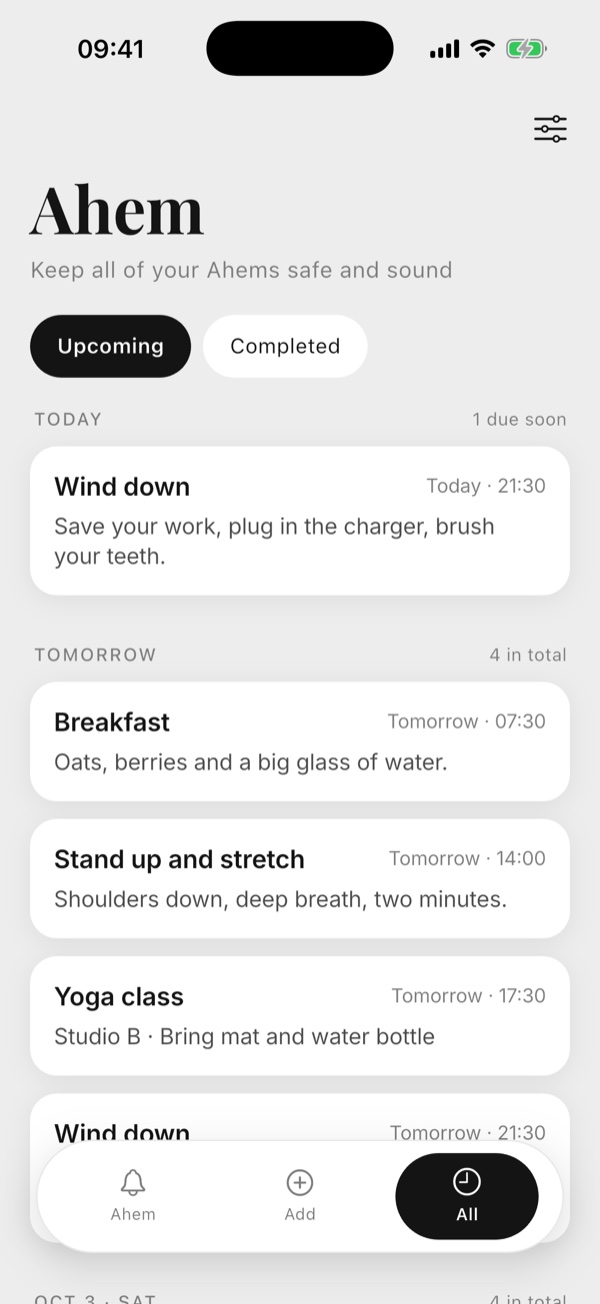
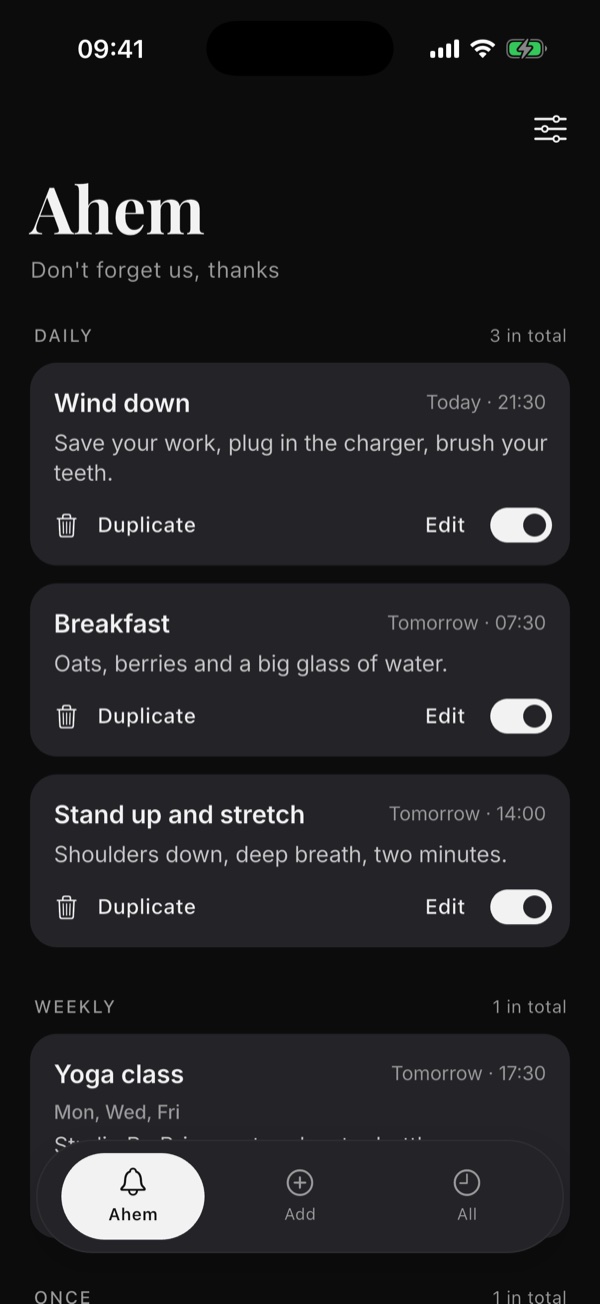
Free to start. Upgrade to Pro for unlimited Ahems, your own sounds and export. 免费开始使用;升级 Pro,解锁不限数量、自己的提示音和导出。
Write each reminder the way you'd say it. Once, daily or on the days you choose – even different words for different days. 按你说话的方式写提醒。单次、每天或每周某几天——每天还能说不同的话。
Get it again in 5, 10, 15 or 30 minutes, or an hour. Skip just one time of a repeating Ahem. 5、10、15、30 分钟或 1 小时后再提醒;重复的 Ahem 也能只跳过某一次。
Sign in with Apple or Google and your Ahems follow you between iPhone, iPad, Mac and Android. With Pro, export everything to one backup file, any time. 用 Apple 或 Google 登录,iPhone、iPad、Mac 和 Android 之间自动同步;Pro 用户可以随时导出一个备份文件。
No ads, no tracking, no streaks. Reminders are scheduled on your phone. 没有广告、不追踪、不打卡。提醒由手机本地安排。
A polite throat-clear, a meow, a baa – or, with Pro, record and upload your own voice. 礼貌的清嗓子、一声喵、一声咩——升级 Pro 还能录制、上传你自己的声音。
Add a link and jump straight from the reminder to a playlist, a map or a meeting. 给提醒加一个链接,点开就直达歌单、地图或会议。
Free forever永久免费
£1.99 a month or £9.99 a year (save 58%)
7-day free trial, or £19.99 once for life
£1.99/月 或 £9.99/年(省 58%)
免费试用 7 天,或一次性 £19.99 终身
UK prices. The App Store and Google Play show the price in your local currency. 以上为英国价格,App Store 和 Google Play 会显示你所在地区的货币价格。
Something not working? We're here to help. Here are the questions we hear most.遇到问题了?我们一直都在。下面是大家问得最多的几个问题。
Check that your phone isn't on silent (the side switch or Action button), that Focus is off, and that the ringer volume isn't at its lowest. Then make sure Settings › Notifications › Ahem › Sounds is on, and so is Ahem sound in Ahem's own Settings.看看手机是不是静音了(侧边的静音键或操作按钮),专注模式有没有开着,铃声音量是不是调到了最小。再确认「设置 → 通知 → Ahem → 声音」是打开的,Ahem 设置里的「提醒声音」也打开了。
Make sure Ahem is allowed to send notifications and isn't in a Scheduled Summary. On Android, allow on-time reminders and set Ahem's battery use to Unrestricted.确认已经允许 Ahem 发送通知,并且没有被放进「定时推送摘要」。Android 上请允许「准时提醒」,并把 Ahem 的电池使用设为「不受限制」。
Turn on Live Activities in Settings › Ahem. iOS keeps a Live Activity for about 12 hours; open Ahem once and it comes back.在「设置 → Ahem」里打开「实时活动」。iOS 最多保留实时活动大约 12 小时,打开一次 Ahem 就会重新出现。
Free on the App Store and Google Play. App Store 和 Google Play 免费下载。